
So, you realize after you entered a payment from a customer that you entered it on the wrong order. Your first thought might be to just delete the payment from the wrong order and enter a new payment for the correct order. While there is nothing wrong with doing that, we do have another solution:
- Open the Payment record that needs to be modified
- Click on the Split Payment button at the bottom of the screen
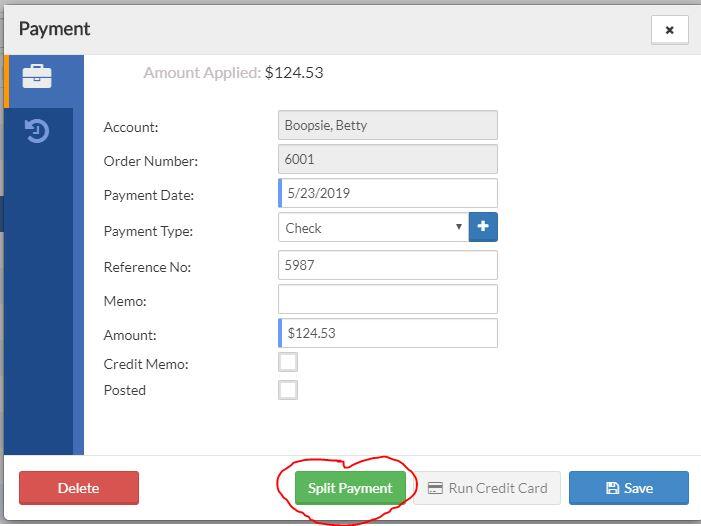
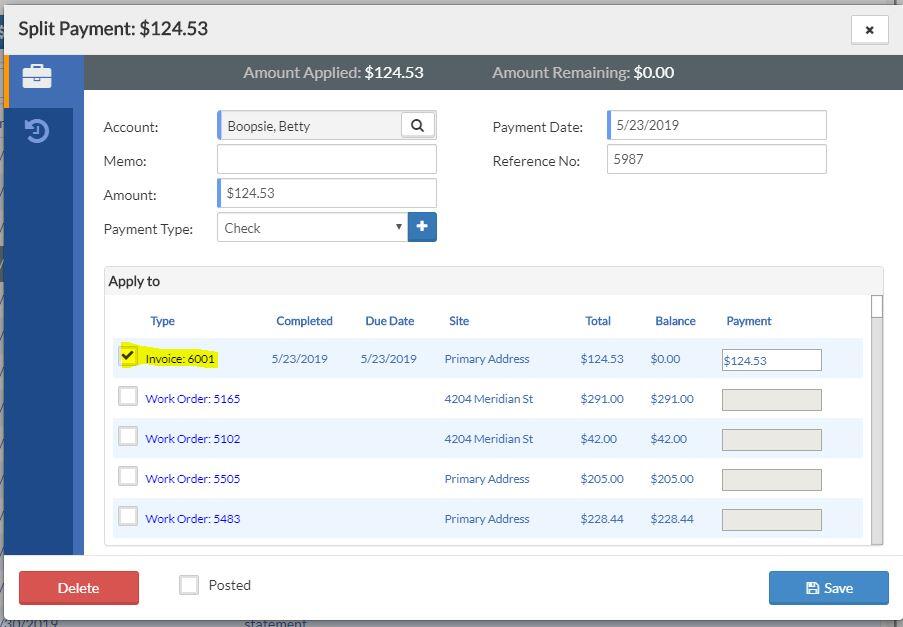
- This will open the list of orders for the customer
- Uncheck the box next to the invoice where the payment was initially applied (which in the example below is invoice 6001)
- Check the box next to the order where the payment should be applied (which in the example below is Work Order 5165)
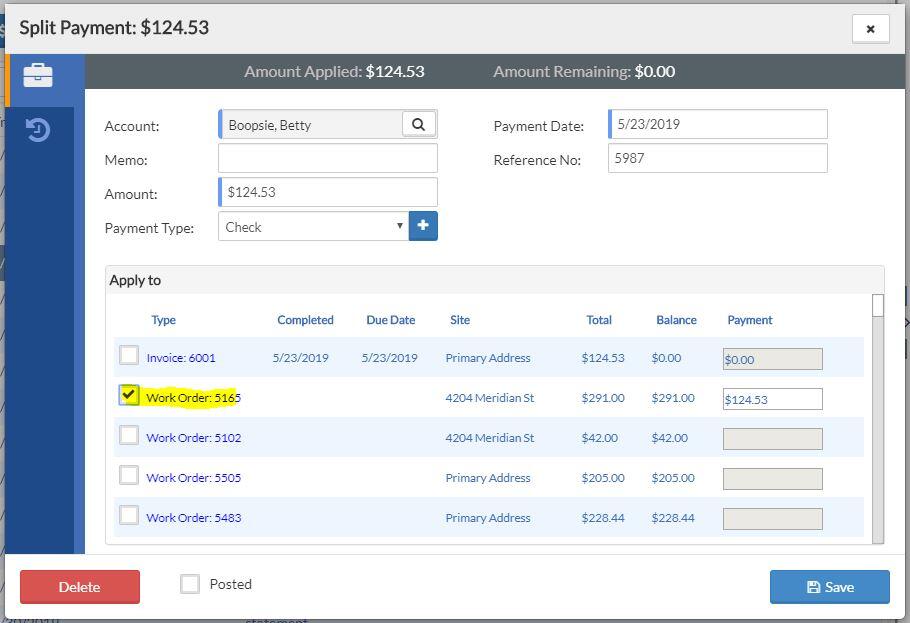
- Click the Save button